
Clipboard - Workers
Clipboard WorksBusiness
4.31.45K Reviews
- Version
- 2.269.1
- Installs
- 500.00K
- Age Rating
- Everyone
Screenshots

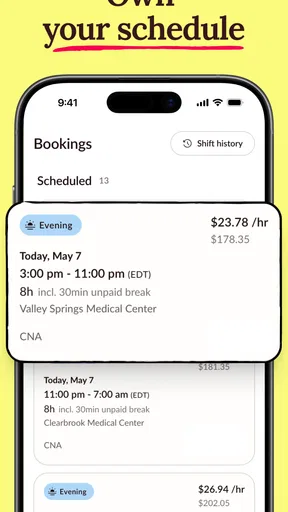
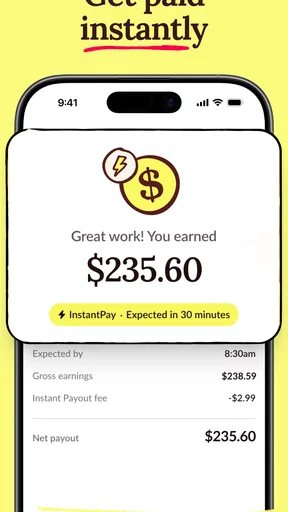
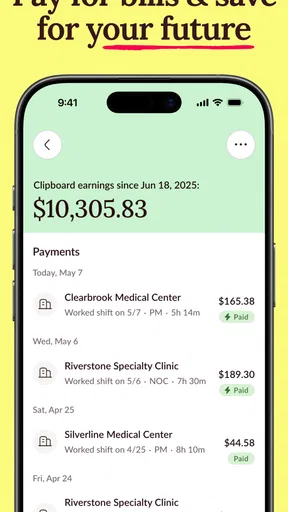
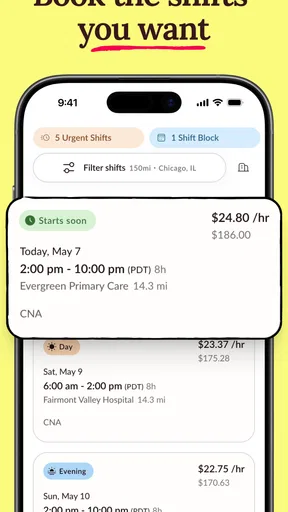
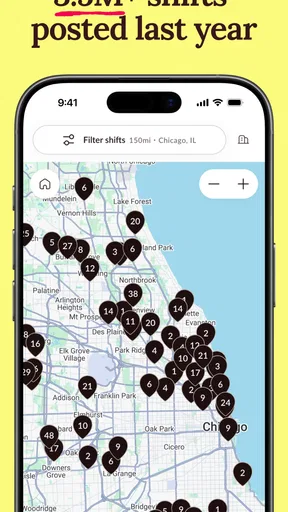


Our Review of Clipboard - Workers
 Analysis by Appyee
Finding dependable work shifts is usually harder than it should be. A schedule may arrive in a group chat, change during the week, and then become difficult to track once personal plans get involved. Clipboard - Workers takes a focused approach: it is a free business app from Clipboard Works designed around finding and booking available shifts on your own schedule. I found it most useful when I treated it as a practical work calendar rather than a general job-search platform.
That distinction matters. This is not an app I would install for household planning, school timetables, or sharing a family calendar. Its purpose is employment coordination, and the value comes from keeping work opportunities and personal availability in the same decision. For someone who wants more control over when they work, that can be genuinely helpful. For someone expecting a full payroll, messaging, or family-management suite, the experience feels much narrower.
How Clipboard fits into real working life
I find it helpful to judge a shift-booking app by the routine around it, not just by how quickly it presents work options. This section looks at how Clipboard can fit into a worker’s real schedule, including the small checks that help keep a flexible week manageable. From there, I’ll turn to the practical setup choices that make those decisions easier to trust.
A useful shared-device scenario
Imagine a household where one person works changing shifts and another person needs to know which evenings are occupied. The practical benefit is not that the app becomes a shared family planner; it does not need to do that. The benefit is that the worker can check potential shifts before agreeing to them, then communicate the final plan through whatever household method already works. That boundary is important because it keeps employment information with the worker instead of turning a work account into a family account.
In my view, the best shared-device habit is to keep each worker’s account separate and avoid treating one phone as a communal scheduling dashboard. If two people use the same device, switching accounts carefully is more sensible than assuming that one person’s availability represents everyone in the home. A shift-booking tool can help coordinate a household indirectly, but it should not replace a shared calendar or a direct conversation about childcare, transport, or other responsibilities.
A realistic example would be a worker who has irregular daytime commitments and wants to pick up evening work. Rather than accepting the first available option and discovering a conflict later, I would check the shift against existing plans, confirm that the timing is realistic, and only then book it. That small pause is where the app earns its place. It supports a decision; it does not make the decision for you.
What setup should look like
The first useful setup step is deciding what the app is for. I would use it to review work opportunities and manage the shifts I am considering, while keeping personal appointments in a separate calendar if that is already my habit. Mixing every part of life into one work-focused app can make the interface less clear, especially when more than one person uses the same phone.
Account boundaries deserve attention. A worker should use their own account, check that the displayed work information belongs to them, and sign out or switch profiles before handing the device to someone else. This is ordinary digital hygiene, but it becomes more important when a phone is shared by partners, relatives, or roommates. The app’s Everyone content rating makes it broadly suitable from a content perspective, yet that does not mean every work detail should be visible to every person using the device.
I also recommend setting a personal rule before browsing: decide which days, times, and travel limits are genuinely workable. Without that rule, a list of available shifts can encourage optimistic choices. The app may make an opportunity easy to see, but it cannot account for a long commute, a late return home, or the effect of accepting several shifts close together. Those judgments remain with the worker.
Another practical step is to review the booking information slowly instead of tapping through it as if it were a social feed. Check the date, start time, end time, and location shown for the shift, then compare those details with your own plans. I would also keep a separate note of anything important that the app does not place directly in front of me, such as travel arrangements or household responsibilities. This creates a useful second layer of protection against accidental overbooking.
Coordination without losing control
The strongest part of this app is the direct relationship between availability and action. Many ordinary alternatives make workers collect information from messages, spreadsheets, noticeboards, or a manager’s separate system before deciding what to do. Clipboard - Workers is more focused on the point where an individual sees a possible shift and chooses whether it fits.
That focus can reduce mental clutter, but it also means I would not expect it to solve every coordination problem. A household still needs its own way to discuss who is available to drive, collect children, prepare meals, or cover an unexpected change. A workplace may also have procedures outside the app. The sensible workflow is to use Clipboard for the worker’s shift decisions and another trusted channel for family or team conversations.
One non-obvious advantage of this separation is that it prevents personal availability from becoming a vague promise. If I tell someone at home that I am “probably working,” that can cause confusion. If I first inspect the shift details, decide whether to book it, and then communicate the confirmed plan, the conversation becomes clearer. The app is not managing the household, but it can improve the quality of the information I bring into that conversation.
There is a trade-off here. A dedicated shift app is often easier to understand than a general calendar because its purpose is narrower. At the same time, a general calendar remains better for seeing several people’s commitments together. I would choose Clipboard when the main problem is finding and booking work; I would choose a shared calendar when the main problem is coordinating a household’s complete schedule.
Trust, age, and account responsibility
The age rating of Everyone tells me that the app is presented as suitable for a broad audience, but the real question is who should operate it. Because it concerns employment choices, the responsible user should be the worker whose account and availability are involved. I would not hand the booking decision to a child simply because the phone is shared, and I would not assume that an adult family member should manage another worker’s account without clear agreement.
This is especially relevant in homes where a parent helps a younger worker organize commitments. Assistance can be useful: reviewing dates together, checking whether transport is practical, or adding confirmed work to a household calendar. Still, the worker should understand what is being booked and why. A simple review together is better than silently changing someone else’s work schedule.
Trust also applies to notifications and visibility. If the device is shared, consider who can see incoming work information on the lock screen and who can open the app. I am not claiming that the app offers a special family privacy mode; rather, the safest approach is to rely on the phone’s own account, screen-lock, and notification controls. That keeps expectations realistic and avoids treating a worker tool as though it were built for parental supervision.
For an adult worker, the main trust question is personal reliability. Booking a shift is a commitment, not just a saved option. I would avoid accepting work while distracted, tired, or rushing between tasks. The app can make the opportunity visible, but responsible use means checking whether the commitment can actually be honored.
What the app does well in daily use
Clipboard - Workers has a clear appeal for people whose working pattern changes from week to week. Instead of waiting for a fixed schedule to cover every need, a worker can look for opportunities that fit around existing obligations. That flexibility is useful for people balancing study, another job, caregiving, or changing personal plans.
I also like the fact that the app is free to install and use as an entry point. There is less friction in trying it than with a paid scheduling tool, particularly for someone who only needs occasional access to work shifts. The service has reached more than half a million installs, with an average rating of 4.3 from about 5.7 thousand ratings and around 1.4 thousand written reviews. Those figures suggest that many people find the basic idea worthwhile, while still leaving room for individual experiences to vary.
The app has been available since late 2019, and its current version is 2.269.1. On Android, it supports devices running version 7.0 or later. That broad compatibility is helpful if a worker relies on an older phone, although I would still keep the operating system updated where possible. A scheduling app is only useful if it remains dependable when a shift needs checking quickly.
Another strength is psychological rather than technical: the app encourages a more deliberate choice than casually agreeing to work through a message. When the decision happens in a dedicated work context, it becomes easier to compare the opportunity with the rest of the week. I found that especially valuable for avoiding the common mistake of treating every available shift as automatically suitable.
Where the focused approach can become a limitation
The same narrow purpose that makes the app approachable may disappoint users who want an all-in-one employment tool. I would not choose it as my only system for household coordination, detailed personal planning, or broader workplace administration. If your main need is to combine several people’s calendars, a shared calendar application will be more appropriate. If your main need is payroll or formal employee records, you should use the relevant employer system instead.
There is also a human limitation that no shift-booking app can remove: availability on a screen is not the same as suitability in real life. A shift may fit the hours but not the journey. It may work financially but create an exhausting sequence of late nights. It may be convenient for one household member and difficult for another. I would treat every listing as an invitation to evaluate, not as a recommendation that the shift is right for me.
Shared-device use can add friction too. If several workers rely on one phone, account switching and notification visibility need a clear routine. I would not leave one person’s work session open for the next user, and I would avoid using a single account as a shortcut. That may feel slower at first, but it protects the distinction between each worker’s commitments.
Finally, people who prefer a fixed weekly routine may gain little from this style of tool. If your employer already provides a stable schedule and you rarely need additional shifts, a normal calendar may be simpler. Clipboard becomes more compelling when flexibility itself is the reason you are looking for work.
Small habits that make it more dependable
My first tip is to separate browsing from booking. Look through possible shifts when you have time to think, then return to the specific opportunity once you have checked your personal schedule. This reduces the chance of committing impulsively, particularly when a shift looks attractive simply because it is available at that moment.
My second tip is to create a household confirmation habit. After booking, tell the people affected by the change using the household’s normal communication method and record the confirmed time in the shared calendar if you use one. Do not assume that opening the work app gives everyone else the information they need.
My third tip is to review the week as a whole instead of judging each shift independently. Several individually reasonable bookings can create an unreasonable run of work. Looking at the pattern helps reveal limited rest, transport problems, or conflicts that are easy to miss when focusing on one opportunity.
A fourth useful habit is to keep work and family identities distinct even when the same device is involved. Use the correct account, lock the phone when finished, and make sure the next person knows which calendar or profile they are viewing. This is not an advanced feature of the app; it is a practical workflow that makes the app safer and less confusing in a shared home.
My household verdict
I recommend Clipboard - Workers to people who want a straightforward way to look for and book work shifts that fit around changing availability. It is especially well suited to workers who need flexibility and are willing to remain responsible for checking the real-world consequences of each commitment. The free price and broad Android compatibility make it easy to try, while its business focus keeps the main task understandable.
I would skip it as a household’s central planning system. It is not the right replacement for a shared calendar, a family messaging routine, or an employer’s formal administrative tools. In a home with several users, the best results come from keeping accounts separate and using the app as one part of a larger coordination process.
My final view is positive but measured: Clipboard works best when it helps one worker make better shift decisions, not when it is asked to manage everyone’s life. Use it to inspect opportunities, compare them with genuine availability, and confirm commitments carefully. Then bring the result into the household conversation through the tools people already trust. That division of responsibility is what makes the app practical rather than confusing.
Verdict
Strengths of Clipboard - Workers
- Quickly saves copied text for later reuse
- Simple interface that is easy to navigate
- Useful for organizing frequently used work snippets
- Helps reduce repetitive typing during daily tasks
- Convenient access to clipboard history when multitasking
Limitations of Clipboard - Workers
- May require sensitive clipboard access permissions
- Stored clipboard items could expose private information
- Advanced organization features may feel limited
- Background clipboard monitoring can affect privacy concerns
- Not ideal for users who only need occasional clipboard access
Similar Picks in This Category
View All
LinkedIn: Community & Network
LinkedIn3.8

Zoom Workplace
zoom.com4.1

Microsoft Teams
Microsoft Corporation4.6

Meta Business Suite
Meta Platforms, Inc.4.6

Webex Meetings
Cisco Systems, Inc.4.5

TeamViewer Remote Control
TeamViewer4.4
Frequently Asked Questions
What is Clipboard - Workers and what is it used for?
Clipboard - Workers is a productivity-focused clipboard management app designed to help users save, organize, and reuse copied text and other clipboard content. Instead of losing information when copying something new, you can keep frequently used snippets available for later. It may be useful for customer support, administration, writing, research, and any workflow that involves repeatedly copying and pasting information.
How does Clipboard - Workers handle copied information and privacy?
Because a clipboard manager can process sensitive content, privacy is an important consideration before installation. Clipboard - Workers may access information that you copy, depending on your device settings and the permissions granted to the app. Avoid copying passwords, payment details, private messages, or confidential company data unless you understand how the app stores and protects clipboard history. Review its privacy policy and permission requests carefully.
Can Clipboard - Workers improve productivity for work-related tasks?
Yes, the app can be particularly helpful for users who repeatedly paste standard replies, links, addresses, instructions, product details, or other text fragments. Keeping commonly used content in one place can reduce repetitive typing and make daily tasks faster. Its usefulness will depend on the organization tools available in the current version and how well they fit your personal or professional workflow.
Does Clipboard - Workers work on every Android or iOS device?
Compatibility depends on the operating system, device model, and the version of Clipboard - Workers available through the official app store. Clipboard access is also handled differently by Android and iOS, and some system restrictions may limit background monitoring or automatic history collection. Before downloading, check the store listing for supported versions, recent update information, and any device-specific requirements.
Is Clipboard - Workers free to download, and are there any limitations?
The download model and available features can vary by platform and app version. Clipboard - Workers may be free to install while offering optional purchases, subscriptions, advertising, or limits on stored clipboard items and advanced organization features. Check the official store page before installation for the current price, in-app purchase details, and whether the version you choose includes all tools needed for your workflow.
